
Download AutoShutdownManager – auto shutdown, PC energy saver, automatic computer shutdown, eco-friendly utility, reduce electricity bills, energy conservation tool
Overview
AutoShutdownManager is a productivity utility designed to help users reduce their PC’s energy consumption during periods of inactivity. The application functions as an automated system management tool, triggering a shutdown or reset when predefined inactivity thresholds are met. Its core purpose is to support environmental sustainability by minimizing unnecessary power usage, which directly contributes to lowering electricity bills and reducing carbon emissions. This makes it particularly relevant for individuals and organizations seeking to adopt greener digital habits without altering their daily workflows.
The target users include environmentally conscious individuals, remote workers, students, and IT administrators managing multiple systems. By leveraging system-level metrics such as processor load, hard drive activity, and network interactions, the software intelligently determines when a computer is no longer in active use. This ensures that shutdowns occur only when appropriate, avoiding disruptions to ongoing tasks. Real-world applications include home offices left unattended overnight, lab computers used intermittently, or shared workstations in educational environments.
Although the developer did not provide additional technical details about their background, the app has been available since 2013, indicating a long-standing presence in the productivity software ecosystem. Its continued relevance highlights a persistent demand for energy-efficient tools in an era of rising electricity costs and growing environmental awareness. As digital devices become more prevalent, utilities like AutoShutdownManager play a crucial role in promoting responsible technology use.
Key Features & Functionality
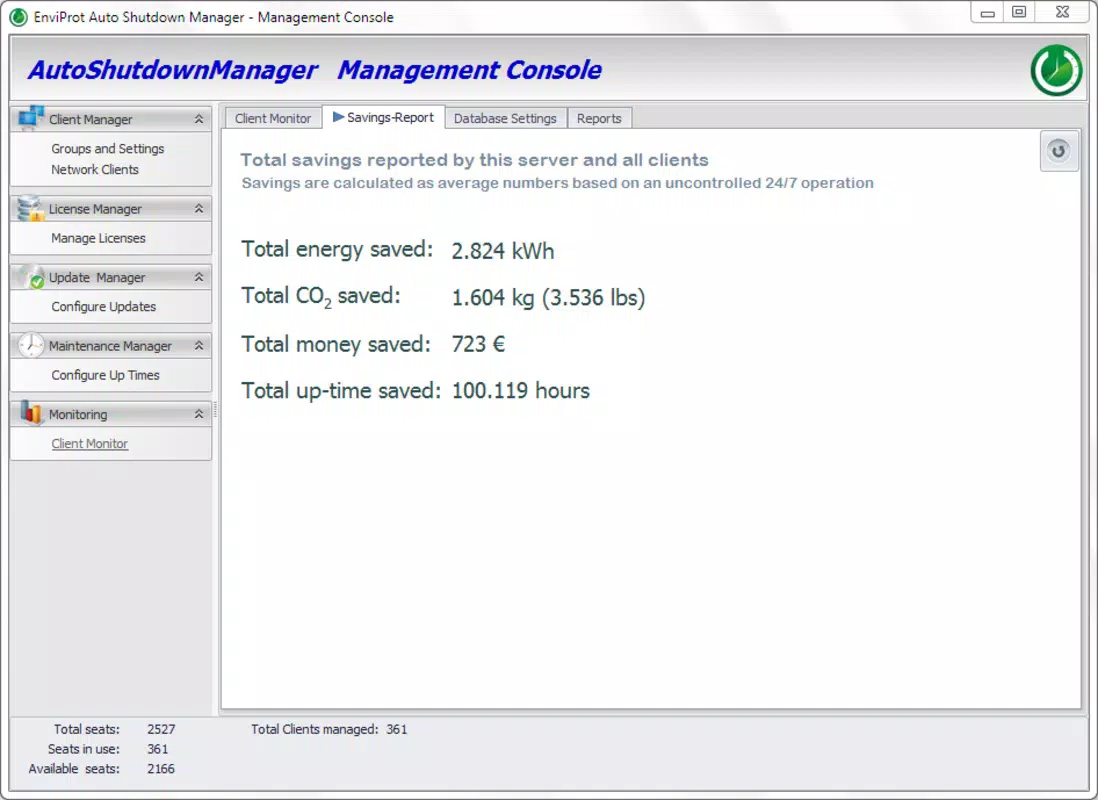
- Energy Savings: Automatically powers down the PC after detecting prolonged inactivity, reducing idle power draw and contributing to lower electricity costs.
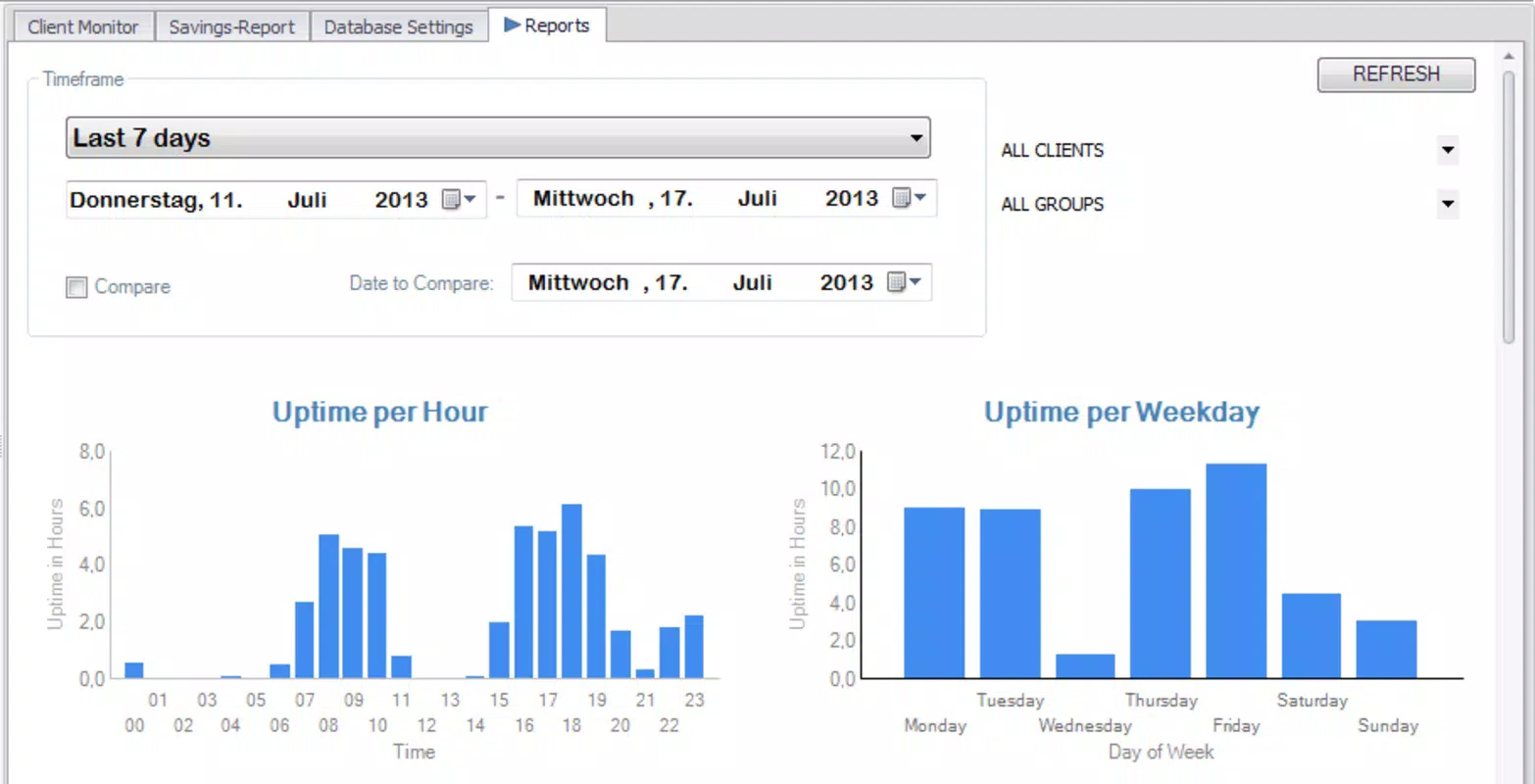
- Activity Monitoring: Tracks system metrics including CPU usage, disk activity, and network traffic to determine true inactivity, ensuring shutdowns are not triggered prematurely.
- Customizable Shutdown Criteria: Allows users to define specific conditions for triggering a shutdown, such as absence of user input, idle time duration, or lack of specific application activity.
- User-Friendly Interface: Features a clean, intuitive layout that enables easy configuration of energy-saving settings without requiring technical expertise.
- Eco-Friendly Automation: Encourages sustainable computing habits by automating energy conservation, aligning with broader environmental goals.
For example, a student using a laptop for research might set the app to shut down after 30 minutes of no keyboard or mouse input. Similarly, an office administrator could configure the software to reset workstations every night at 11 PM, ensuring systems are ready for the next day without manual intervention. These scenarios demonstrate how the app integrates seamlessly into diverse workflows, enhancing efficiency while promoting environmental responsibility.
Interface, UX & Performance
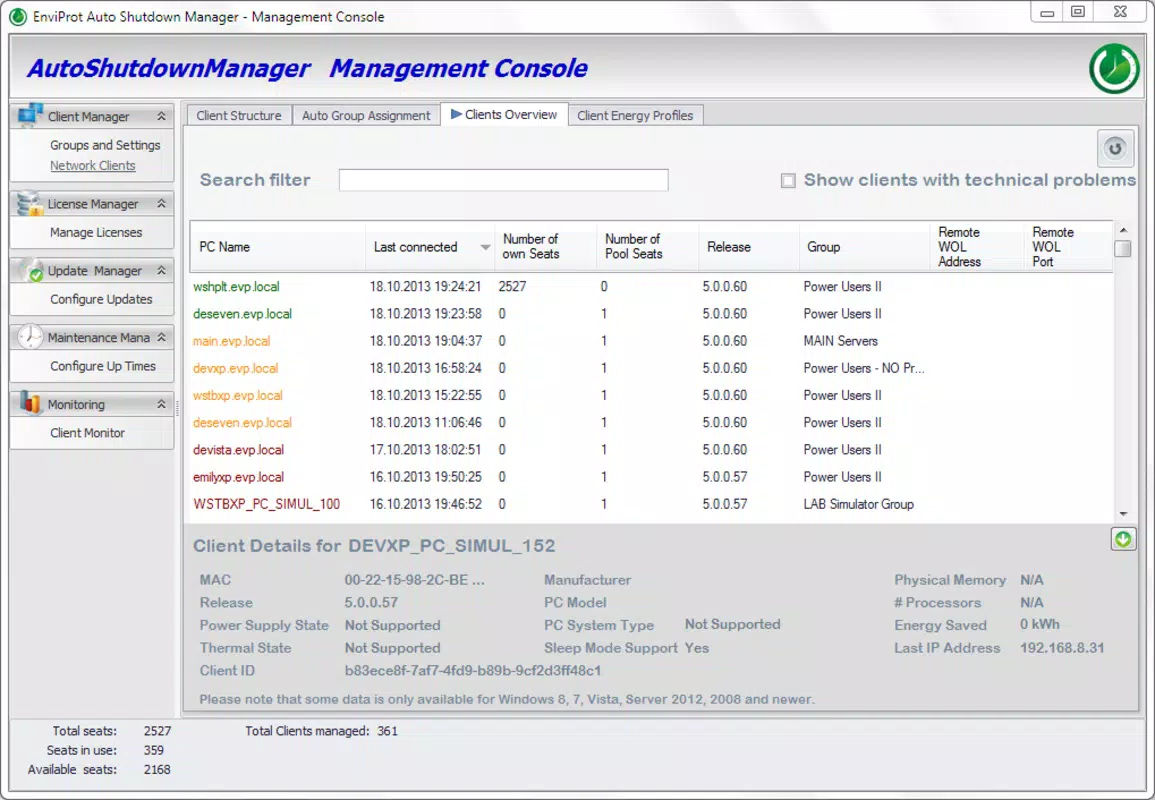
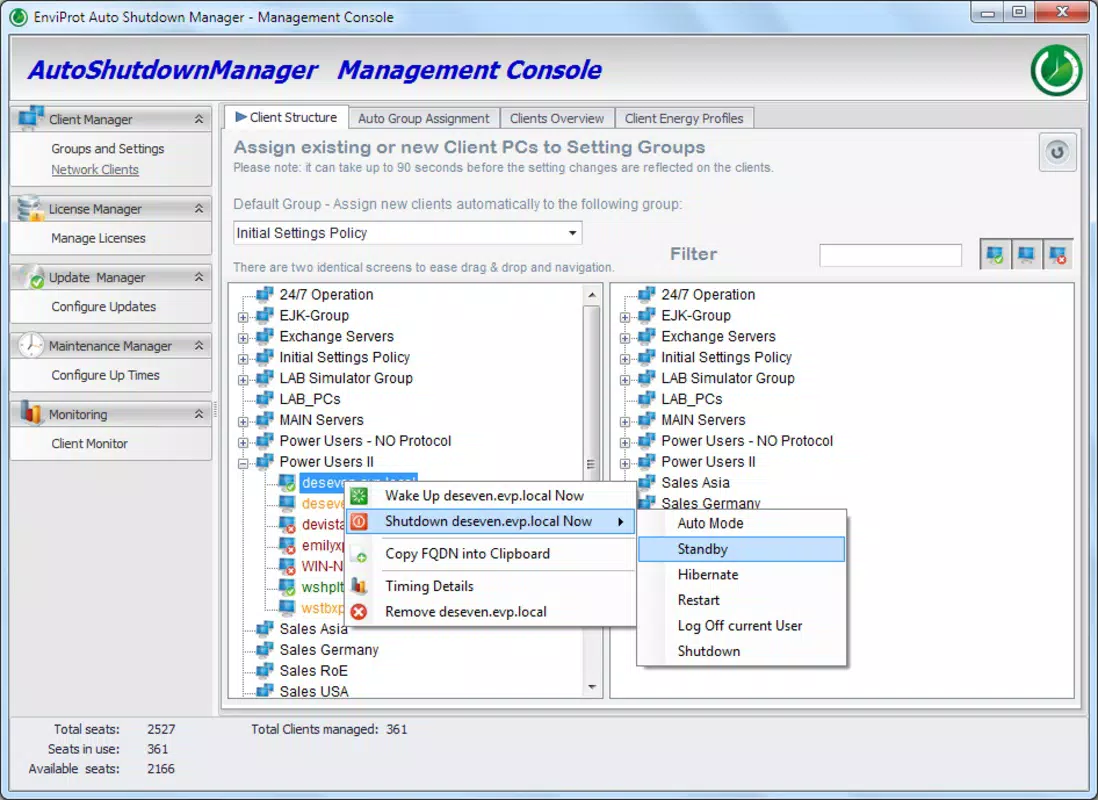
AutoShutdownManager presents a straightforward user interface focused on clarity and accessibility. The layout is minimalistic, with clearly labeled sections for setting inactivity timers, selecting monitoring parameters, and defining shutdown actions. Navigation is linear and predictable, allowing users to adjust settings without confusion or the need for external guidance.
The visual style is functional rather than decorative, prioritizing usability over aesthetics. Buttons and dropdown menus are appropriately sized and spaced, supporting smooth interaction even on lower-resolution displays. The program does not appear to rely on complex animations or resource-heavy elements, which contributes to a stable and responsive experience.
Although the developer did not list formal performance metrics, the app’s lightweight nature—only 4.5 MB in size—suggests minimal impact on system resources. It is expected to operate efficiently across a range of Windows devices, from older desktops to modern laptops. Responsiveness is likely consistent, given the absence of reported lag or crashes in public references. Stability appears to be a strength, especially considering the app’s long-term availability.
Platform Compatibility & Technical Requirements
AutoShutdownManager is designed for the Windows platform and is compatible with various versions of the operating system. The current software version is 1.1.0, released on October 28, 2013. The application has a file size of 4.5 MB, indicating a lightweight footprint that does not strain storage or memory resources.
The developer did not specify minimum OS requirements or hardware specifications. However, given its small size and long-standing presence, it is likely compatible with older Windows versions such as Windows 7 and later. Users should verify compatibility with their specific system configuration, especially when using legacy or updated environments.
Pros and Cons
Pros
- Free to download and use, making it accessible to all users.
- Small file size (4.5 MB) ensures minimal storage impact.
- Intuitive interface suitable for non-technical users.
- Automated energy-saving functionality supports eco-friendly computing.
- Customizable inactivity triggers allow tailored usage scenarios.
Cons
- Release date is from 2013, raising concerns about modern OS compatibility.
- Developer did not provide updated technical specifications or system requirements.
- Limited to Windows platform; no support for macOS or Linux.
- No official update history or changelog available.
- Does not include cloud sync, remote management, or multi-device support.
FAQ
Is AutoShutdownManager safe to install?
The app is free and does not appear to include malware based on public records. However, users should download it from trusted sources to ensure security.
Can I customize when the computer shuts down?
Yes, users can set custom inactivity periods and define specific conditions, such as no keyboard or mouse input, for triggering a shutdown.
Does AutoShutdownManager work on Windows 10 and 11?
While not officially confirmed, the app’s lightweight design and long history suggest compatibility with modern Windows versions. Testing on the target system is recommended.
Is there a mobile version available?
No, AutoShutdownManager is a desktop utility designed exclusively for Windows systems. It is not available on Android or iOS.
How often does the app update?
The last release was in 2013, and no recent updates have been documented. Users should verify the app’s functionality on current systems.
Final Thoughts
AutoShutdownManager remains a practical tool for users seeking to reduce energy waste and lower electricity costs through automated system management. Its core functionality—monitoring inactivity and triggering shutdowns—is both simple and effective. While the app lacks modern features and has not been updated in over a decade, its lightweight design and zero cost make it a viable option for basic energy conservation needs.
It is best suited for users with older or low-resource Windows systems who prioritize sustainability and manual control over automation. For those requiring advanced features, remote access, or regular updates, newer alternatives may be more appropriate. However, for a free, no-frills utility focused on environmental impact and cost savings, AutoShutdownManager delivers real value.
Download AutoShutdownManager now


